Citrix Application Troubleshooting
Introduction
This guide provides steps to resolve common issues when launching LoadMaster or other applications via the Citrix portal. These issues often arise due to a corrupted or missing Citrix Workspace application.
Procedure
-
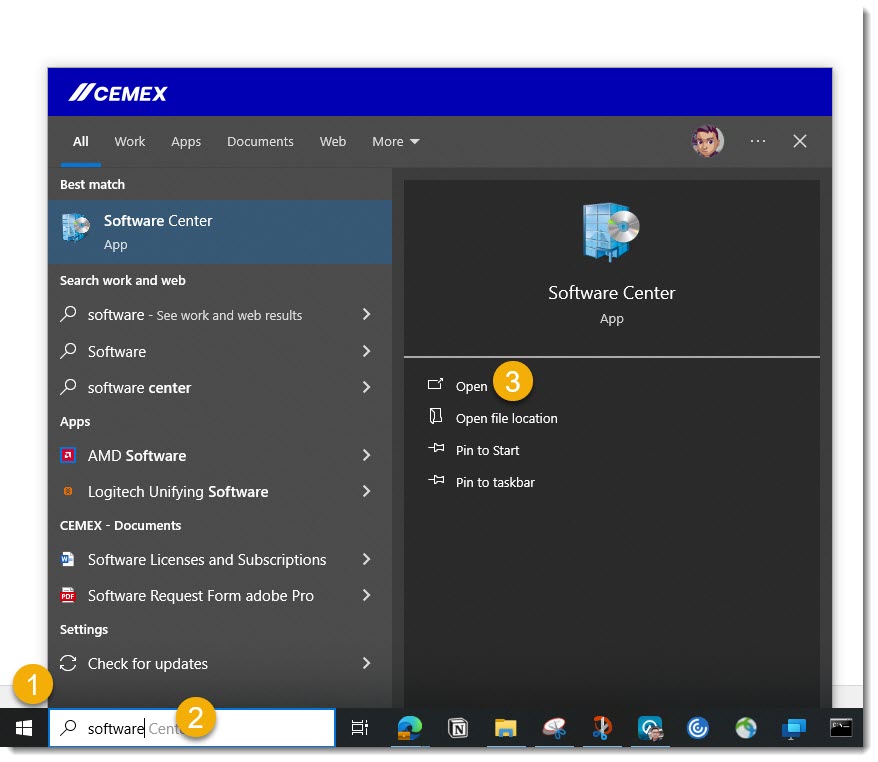
Access SoftwareCenter
Open the SoftwareCenter application on your device.
-
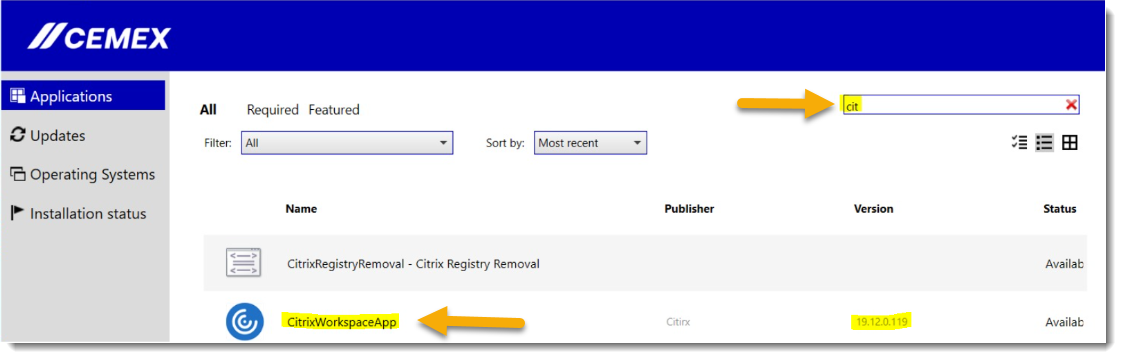
Search for Citrix WorkSpace
Use the search bar to look for "Citrix WorkSpace."
-
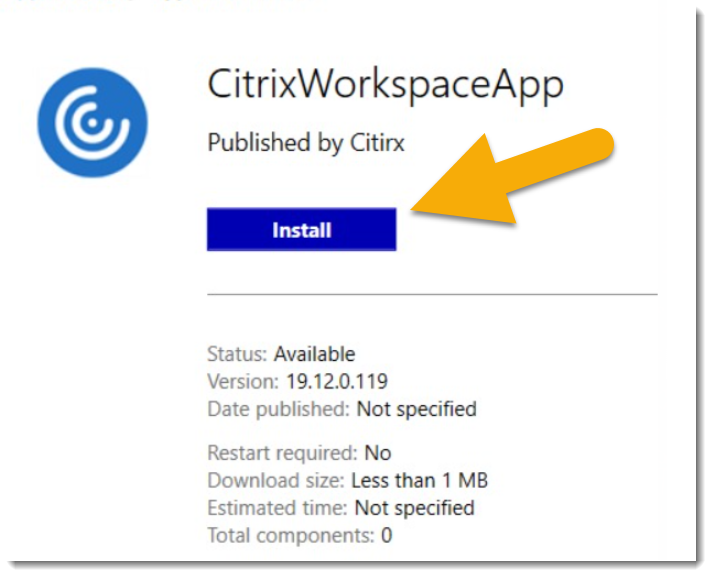
Install the Application
If the "Install" option is available, click on it to begin the installation process.
-
Uninstall if Necessary
If you only see the "Uninstall" option, click "Uninstall" first to remove the existing version.
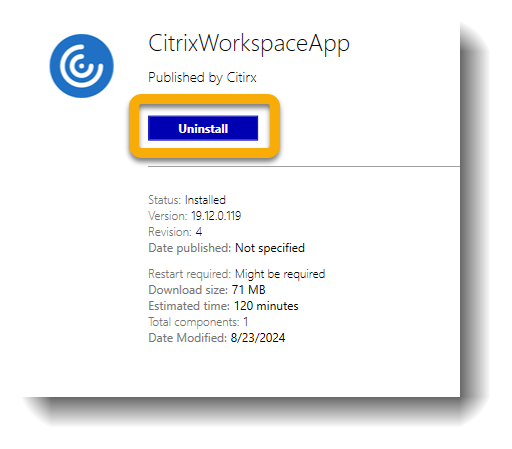
Once the uninstallation is complete, click "Install" to proceed with a fresh installation.
Final Note
If you continue to experience issues after following these steps, please contact the Transport Support team for further assistance.